
Trading is finally here, in Grow A Garden. It’s a feature players have been asking for, ever since the game launched back in March.
We no longer need to worry about being scammed, and having our pets stolen, and I’ve already made a few trades via Reddit today, since the trading update launched a few hours ago, and it’s so quick and easy to do. I love it!
I’m going to give you the full lowdown on how the trading feature works, what the trading ticket is, and some tips for an easy trade! Keep on reading…

What Is A Grow A Garden Trading Ticket?
The Trading Ticket is a gear item we can purchase in the Gear Shop for 100,000 sheckles or 19 Robux.
It is rated as “Uncommon”, which is the same as the Watering Can. However, the Watering Can is permanently in stock, but the Trading Ticket isn’t, which is kinda strange.
I have found that the Trading Ticket is in stock maybe every two restocks, and there are only ever one or two in stock.
You cannot initiate a trade within the game, without a Trading Ticket. When you’re trading with another player, only one player needs to have the Trading Ticket, but if you want to propose a trade with another player, you are going to need Trading Tickets.
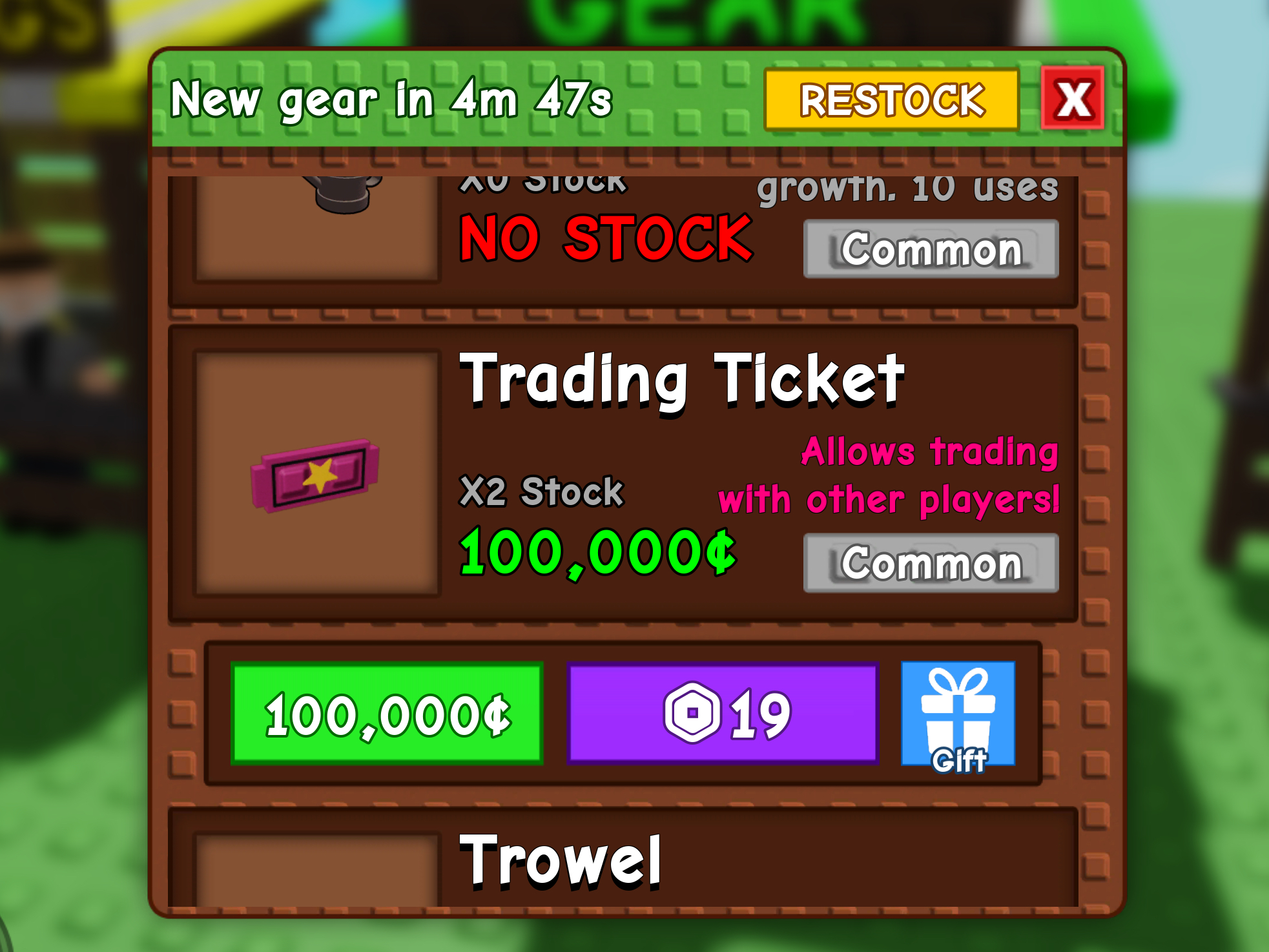
Each Trading Ticket will work for one single trade, and you can trade multiple items within the one trade, but it is one ticket for one entire trade, so make sure you stock up on them, whenever you see them in stock.

Once you’ve purchased your Trading Ticket, you can find them in your Gear tab within your inventory, and you simply click the ticket, and it will go into your hand, and you just walk up to the player that you want to trade with, and it’ll ask you if you want to “send a trade request”, and you have to hold down E, to confirm that is the player you want to trade with.
How To Stop People Asking You To Trade In Grow A Garden
While many players are happy about the trading concept, some players don’t want to trade, or be bothered by trade requests.
If you play in public servers, you can’t stop randoms coming up to you and demanding your pets, unfortunately, but there is an option, thankfully, that allows you to turn trading requests off.
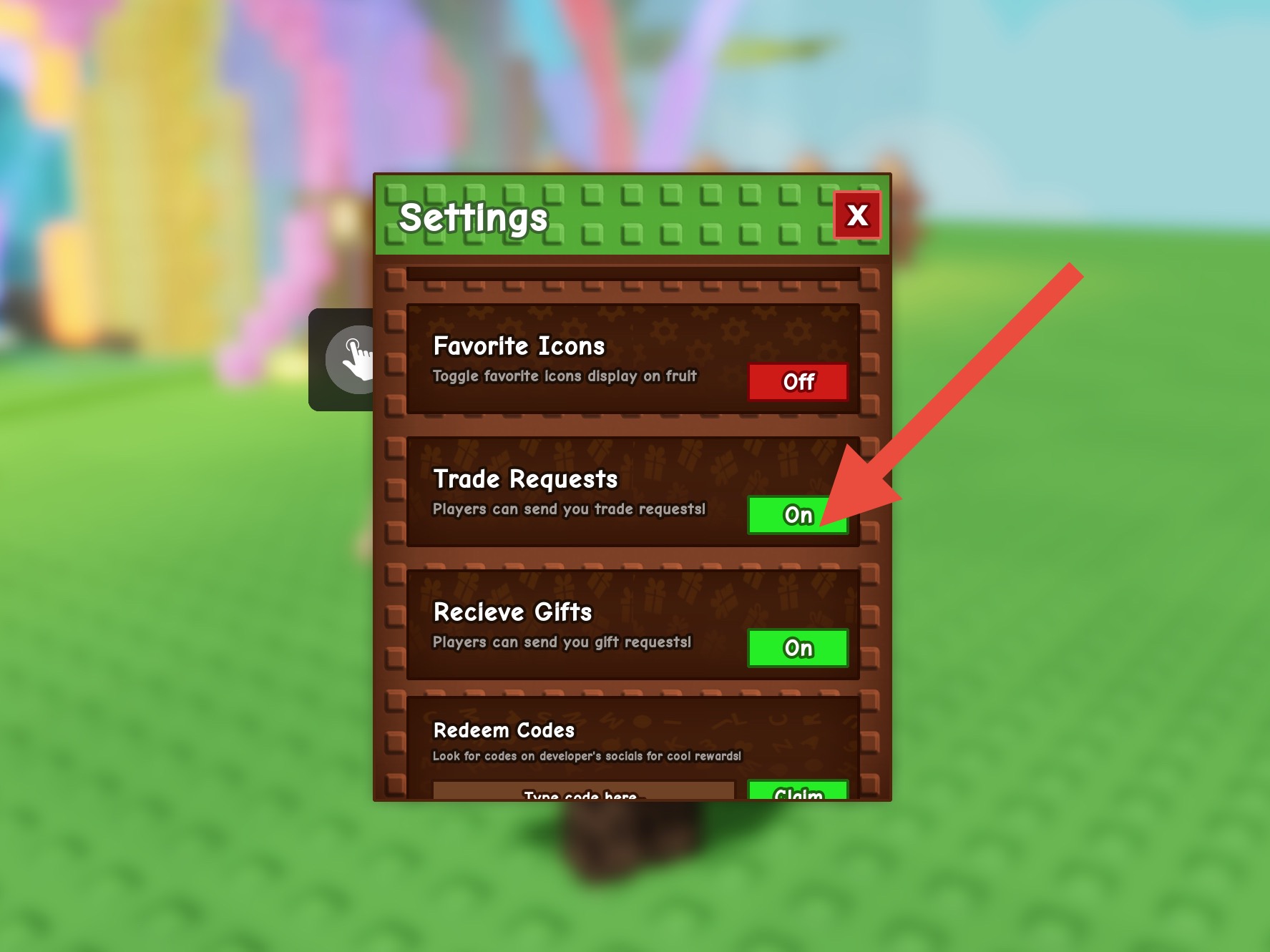
You need to click the settings cog in the top menu, and there’s an option to turn Trade Requests off, and turn Gift Requests off.
If you toggle the Trade Requests to “off”, people can hold purple tickets up to you all they like, but it will give them a message to say XYZ is not accepting trade requests right now.
It probably won’t stop them from asking, but their efforts are futile, as the function is turned off, and you can simply toggle it back on should you wish to trade with anyone.
How To Do Trading With The Grow A Garden Trading Ticket
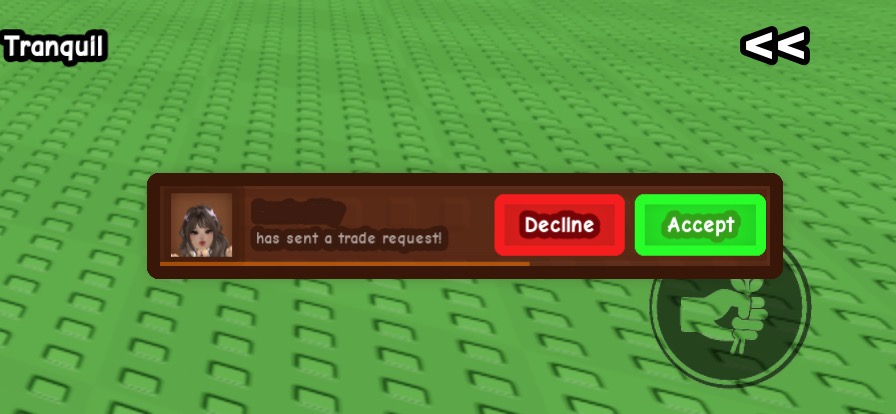
When you hold the purple ticket next to a player, and click to send a trade request, this is the pop-up message that appears on the right side of the screen, in a rectangular shaped pop-up.
The player then gets the option to decline the trade, or accept the trade.
If you click decline, the other player will be told you’ve declined, and if you click accept, you get a pop-up trading window which is super simple and easy to use.
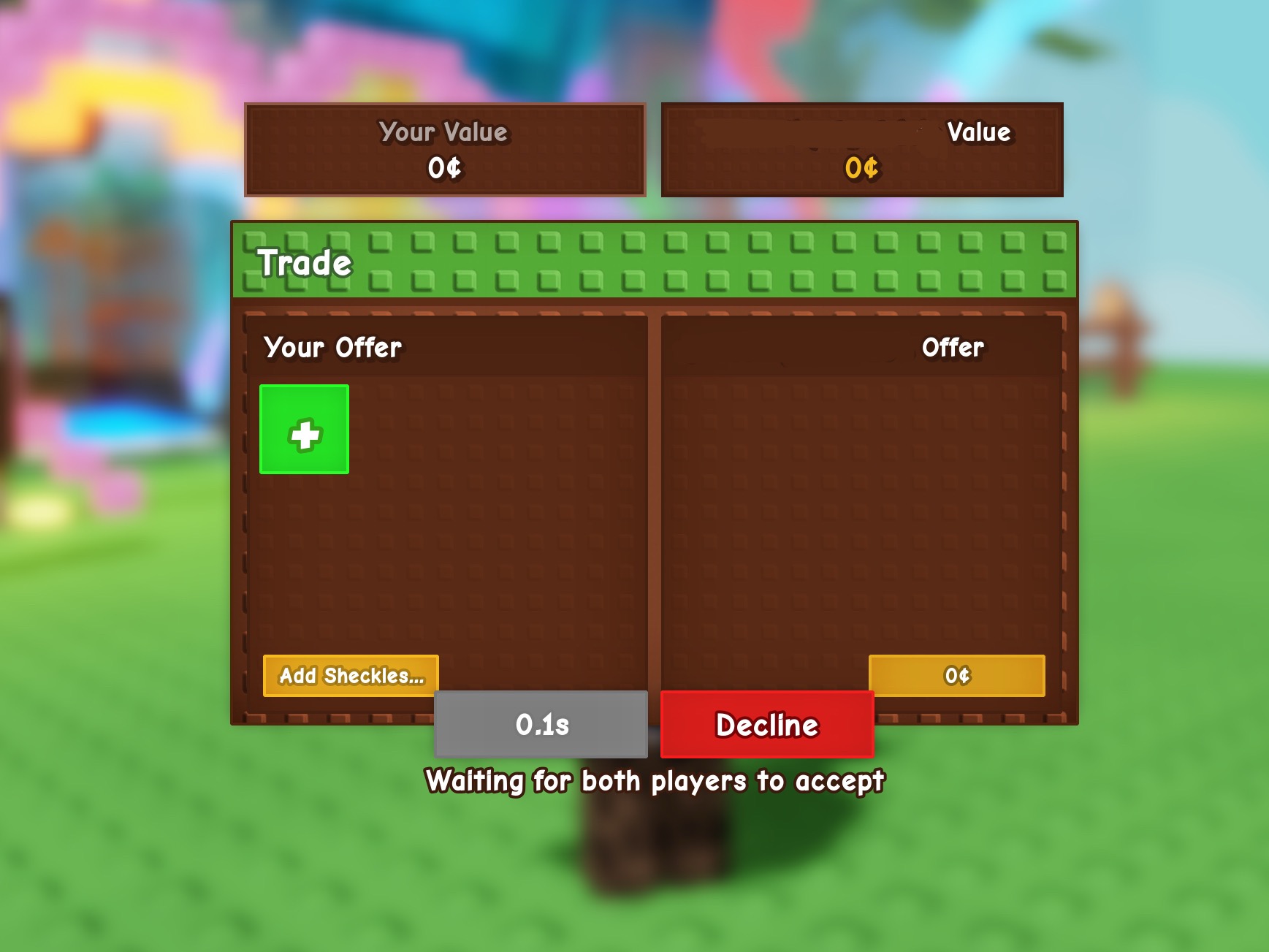
When the window opens, it shows your items you’re wanting to trade on the left, and will show the items the other player is proposing on the right side.
You can add absolutely any pets (providing they’re not favorited), and you can add any fruits, flowers or picked crops.
You cannot add gear items, and you cannot add seeds – annoyingly.
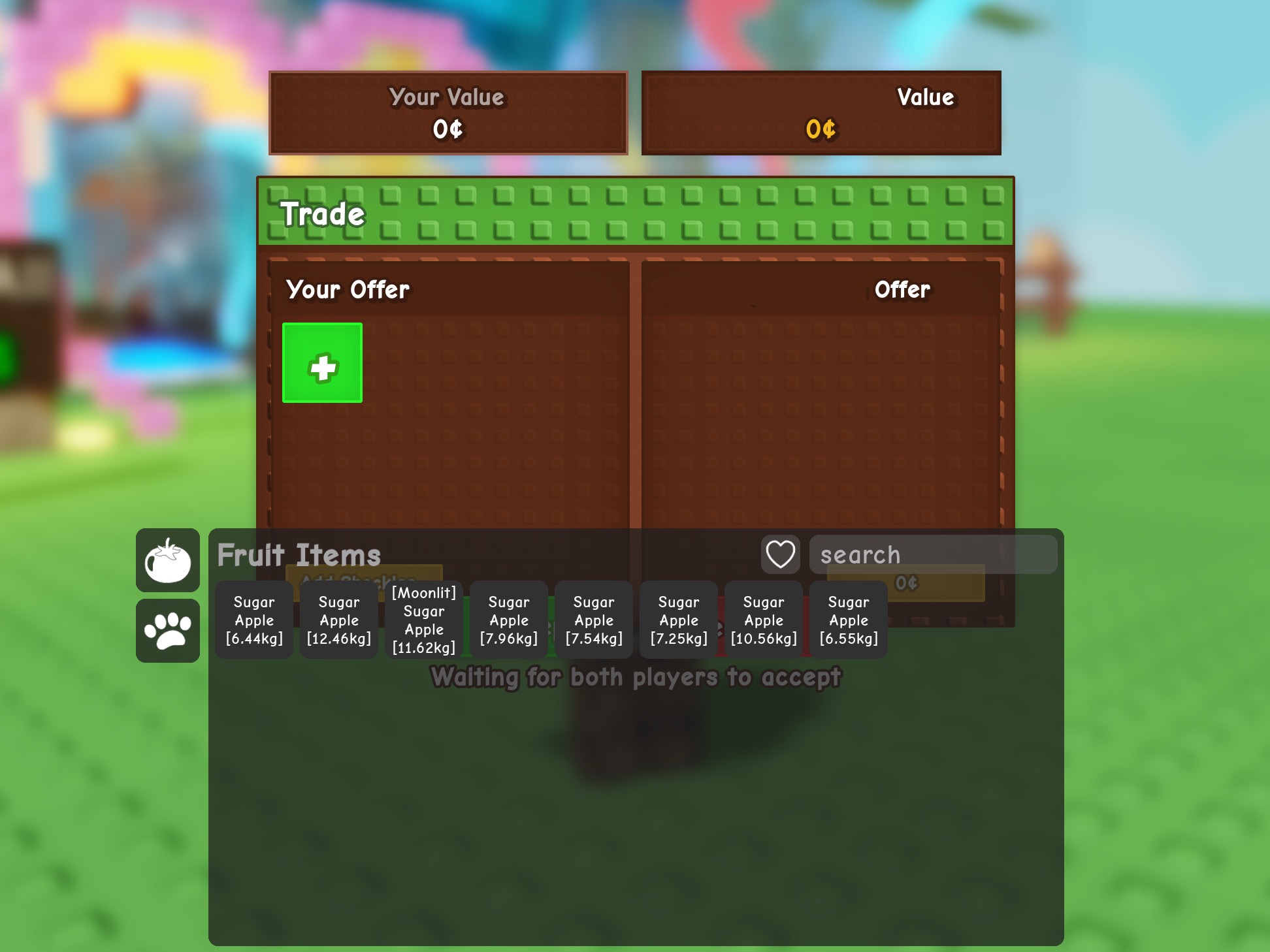
As you can see, when you’re in the trading window, your inventory only shows you two tabs on the side; pets and fruits, and the other tabs have been hidden, so there’s no confusion.
As well as choosing pets and fruits from your inventory, there’s an orange button for each of the two players to add a sheckles amount, if they want to.
If you click the sheckles option, you get to manually type in the amount of sheckles in numbers.
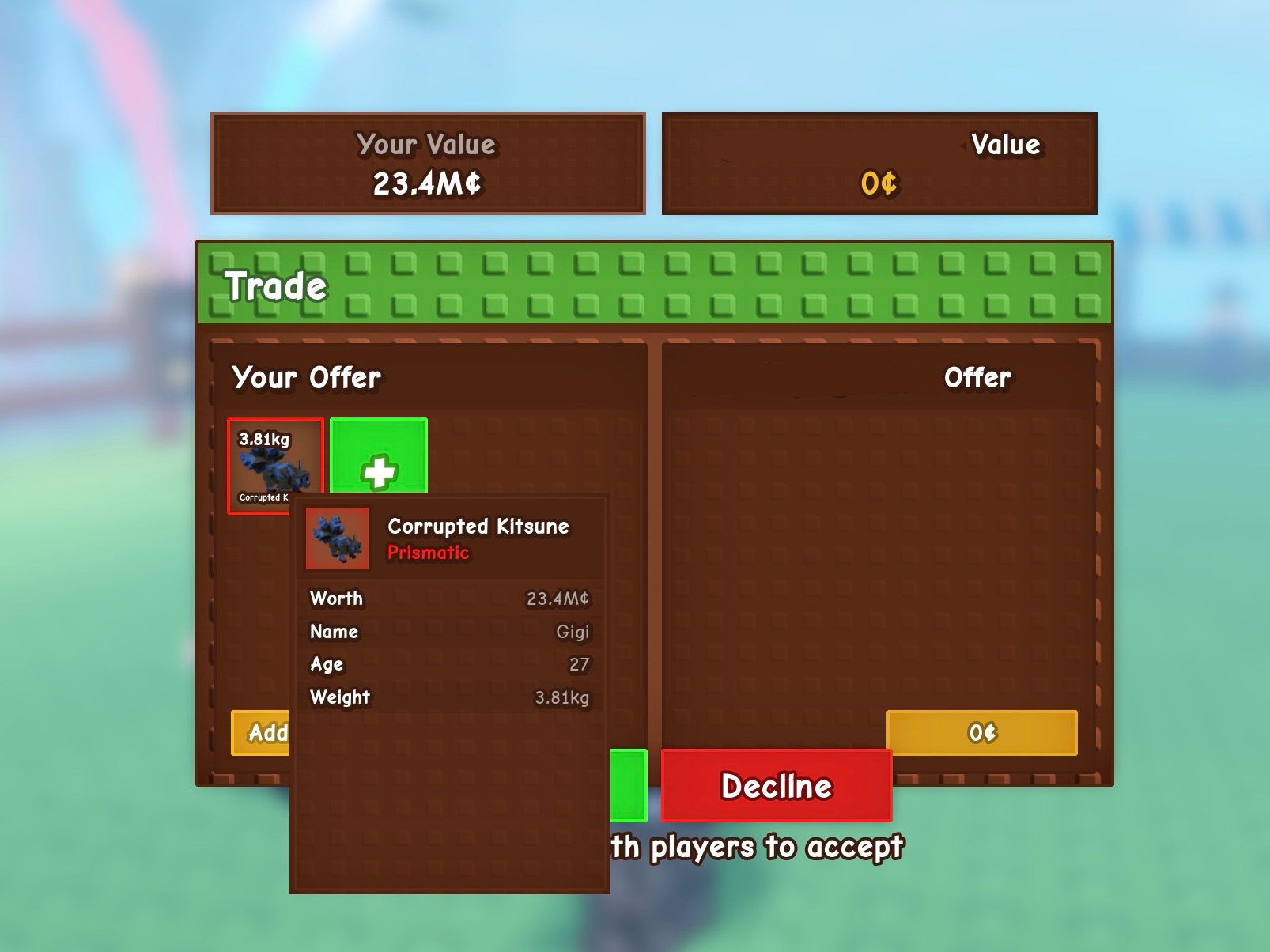
When you add a pet into the window for the trade, if you hover over the pet, it gives you a pop-up window to show you:
- Pet’s species
- Pet’s rarity
- Value when selling the pet at the Sell Shop (which is always going to be insanely lower than the real market value price)
- Pet’s name
- Pet’s age
- Pet’s weight
If you add a fruit into the window for the trade, you can also hover over it, and you’ll get:
- Fruit type
- Fruit weight
- Fruit value
This means you’ll know exactly what you’re going to get from the trade. It is important to remember, when trading pets, the “value” for the pets is just what you’d get from Steven at the Sell Shop.
The market value for the pets will always be much, much, much, much higher, so don’t worry too much about the difference in value within the window, if you are trading just pets. If you’re trading fruit, the value is more important.
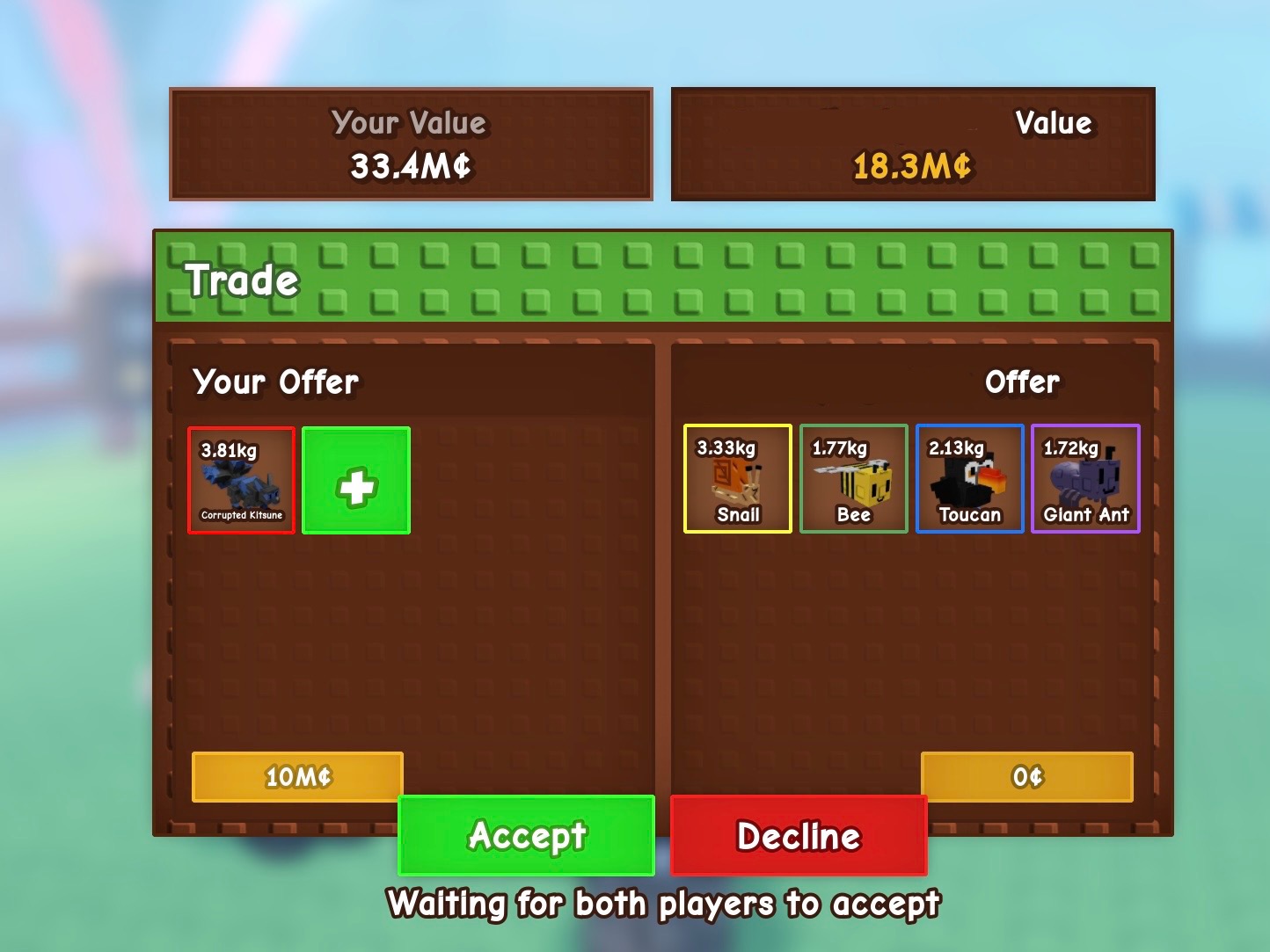
When both players have added their items for the trade, you’ll be able to see them all on the same screen. You can remove items from the window, by just tapping on the item.
Once you’ve added your offering, and the other player has added their offering, you both have to click accept.
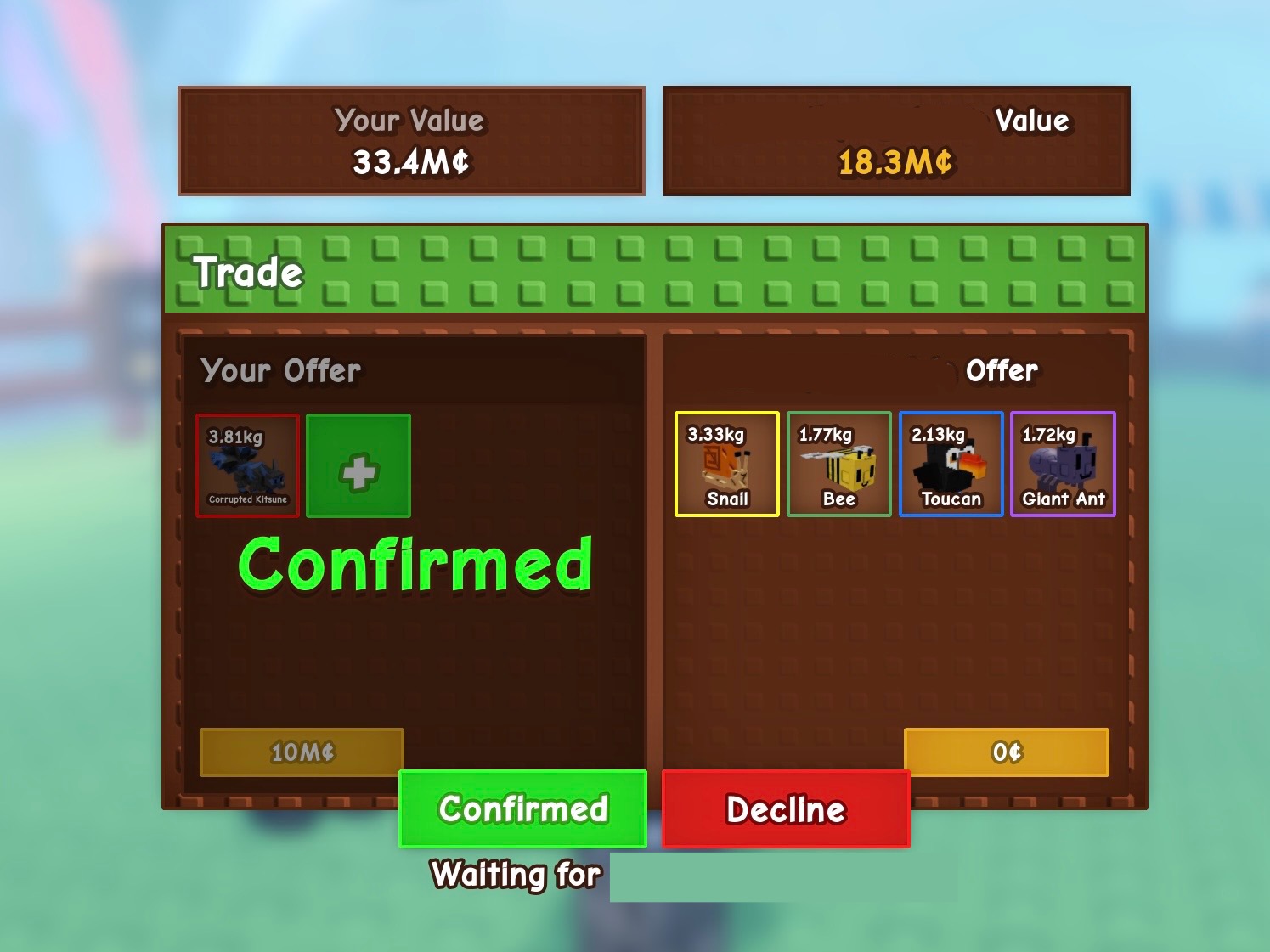
You then get asked to confirm again that you’re happy with the trade – you can decline at any point, but there is no way that you’d lose your offerings and the other player would get them, without you getting your items you confirmed you’re happy with. The double check confirmation makes sure you’re both happy, which is really good.
Now these images are just me swapping pets between my main account and alt account – this is not a real trade, but I just wanted to show how it looks with just one item, and multiple items, plus adding sheckles, so you can see all the options.
The trading process really is easy and simple to use. It’s so helpful to be able to see the age and weight of the pets. It’s gutting we can’t trade seeds – that’s the biggest disappointment for sure.
Trading is going to make it so much easier to swap pets between your alt accounts for storage, as you can add all the pets you want your main account to have, in the trade, and they’ll get passed over in one go, without having to gift each pet individually, like we’ve always had to.
I really hope Grow A Garden extends pet inventory slots even further, so we don’t run out of room so easily, but this trading feature makes it so much easier to move your pets between your accounts, and for that, I’m so grateful!