
Today, Dress To Impress launched their surprise Easter Update, which is just a mini update to celebrate the Easter weekend, and we also have the huge Petal Update next Saturday, so we don’t have long to wait for the next update, which is very exciting.
During the April Fool’s update, the DTI team put on an emoji scavenger hunt, and the reward was a flamethrower for 24 hours. For the Dress To Impress Easter Update, the prize is something we can keep forever. Keep on reading to find out where to find the Dress To Impress Easter emojis to get the Easter Set limited code.

What Is The Dress To Impress Easter Emoji Scavenger Hunt?
For the DTI Mini Easter Update, we have an Easter themed emoji hunt, and the reward is the Dress To Impress The Easter Set, which is shown above.
This emoji hunt will be live from the update launch today, and will finish when the Spring Petal update launches next Saturday.
For the April Fool’s update, we only had 24 hours to do the hunt, and it was mayhem with people trying to find their emojis so they didn’t run out of time.
This time it’s a lot better, as we have a full 24-hours to find our emojis.

Where To Find Your Emojis In The Dress To Impress Easter Update Emoji Hunt?
You need to go to the outside lobby area, where we all stand at the end of a round, after the three podium players have been announced.
You need to then walk upto the outdoor gold leaderboard, and look above the leaderboard to see five Easter-themed emoji, on the gold metal stripe above the two leaderboard lists.
Every player will have a different five emojis, so my five will be different to your five, and they are randomly allocated to every single player.
To get to the outside area, you can server hop and find a game that’s near the end, and is the voting part, or server hop until you’re lucky enough to find a server that is already outside.
Once you’re outside, go upto the leaderboard and screenshot your five emojis, as you’re going to need to know which emojis you’re looking for.
When you know which five emojis you need, it will make the hunt a little easier.

Where To Find The Dress To Impress Easter Emojis To Get The Easter Set Limited Code?
When you know your five Easter emojis and their order, you can start your emoji hunt, looking for emojis around the map.
DTI has hidden emojis in 15 different locations inside freeplay and outside (between rounds), and you will find your five emojis in any of these 15 locations, but some locations will show emojis you don’t have, so you have to make sure you find your exact emojis.
Each emoji will be printed like this “🐣 = 5” or “🐰 = 2”, and that means every one of your emojis will stand for a number.
You need to find your emojis AND the number next to each one, because you will need five numbers to enter into the “CODE” redeem box.
So, for example, if your five random emojis on the outside leaderboard are:🐰 🐣 🍫🌼🐣, you need to hunt for four emojis, because one of your emojis is duplicated (in this example – the hatching chick).
You will look around the freeplay map and outside waiting area between games to find your emojis, and jot down the numbers you find with each of your emojis.
Remember, your five random emojis will all be Easter themed, so your five Easter emojis will potentially be a mix of emojis like these: 🐇🐣🐥🌷🌼🌸🐰🥚🍫
Example
🐰 = 2
🐣 = 5
🍫 = 1
🌼 = 3
🐣 = 5
Because the chick is duplicated twice within your code, you will only need to find four emojis, because you know that the hatching chick emoji is the number 5 (in this example), so you only need to find the number for your bunny emoji, chocolate emoji and daisy emoji, because you know your hatching chick emoji is number 5.
Some players will get duplicate emojis within their five emojis, but some players will get five different emojis. It’s completely random, and you’ll only know which emojis you need by looking at the outdoor leaderboard area.
In this example, you would need to enter the following numbers in your code redeem box: 25135, as you found the numbers for your five emojis, and once you input this five-digit code, you’ll unlock The Easter Set.
Lets take a look at the different locations your Easter emojis could be hiding…

First place inside your emoji could be is the wooden wall above the green summer shirt and shorts co-ords set in non-VIP.

Your emoji could be hidden under the table between the dressing rooms and the salon (tilt your screen angle to see this one).

Next, your emoji could be in the first dressing room on the left of the archway onto the runway, it’s towards the bottom of the wall.

You could have an emoji on the wall above the the denim shorts and jorts.

Many people have an emoji on the wall above the neck accessories (see area circled).

If you look out of the window behind Lana, your emoji could be printed on the hedge directly opposite.

You could have an emoji on the wall towards the ceiling as you leave Lana’s salon, with Lana sitting directly behind you.

If you look out of the window next to the non-VIP dressing rooms, there could be an emoji on the windowsill.
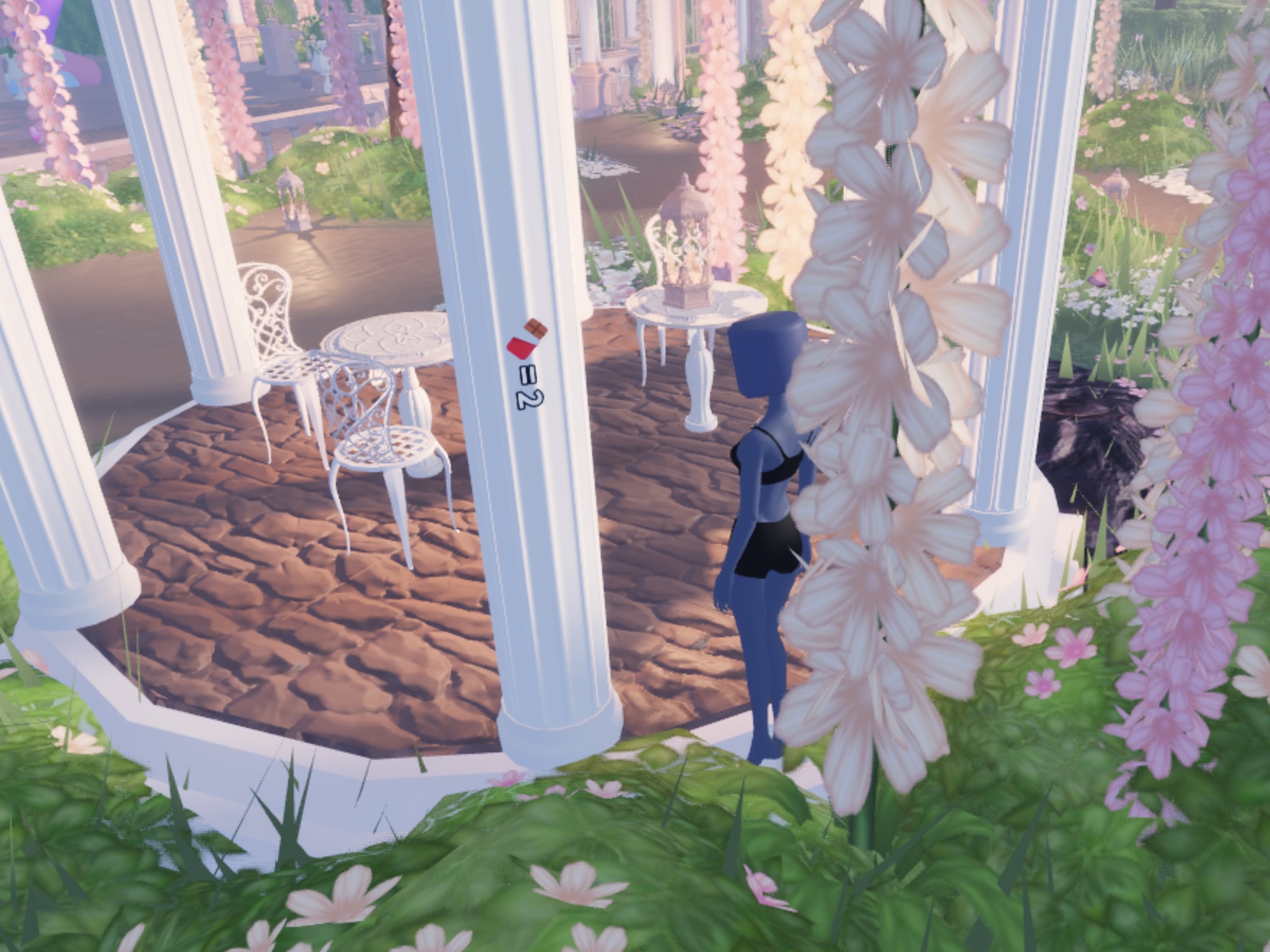
You could have an emoji on one of the pillars of the pergola/pagoda with the white tables underneath.

There could be an emoji hiding on the wall under one of the pergola/pagoda structures, facing the water.
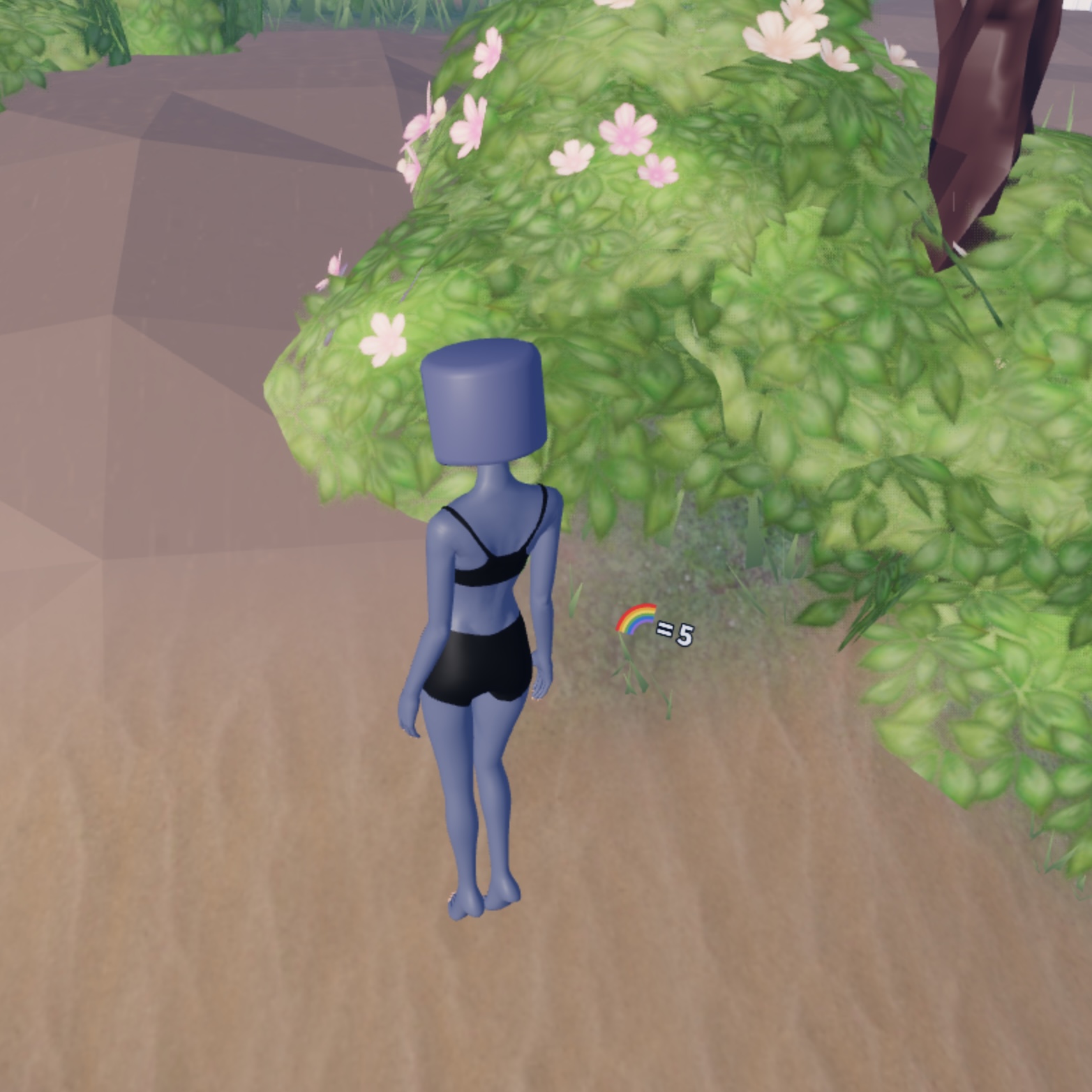
There could be an emoji on the brown dirt next to a hedge near the water.

This is such a cheeky location, but there could be one hiding inside the hedge square structure, but you can only see it by tilting your screen upwards to look in the corners.

Look around the base of the pergola/pagoda structures, as you might have one on the dirt next to one of the pillars/walls.